Technical SEO: Checklist for Website SEO Improvement
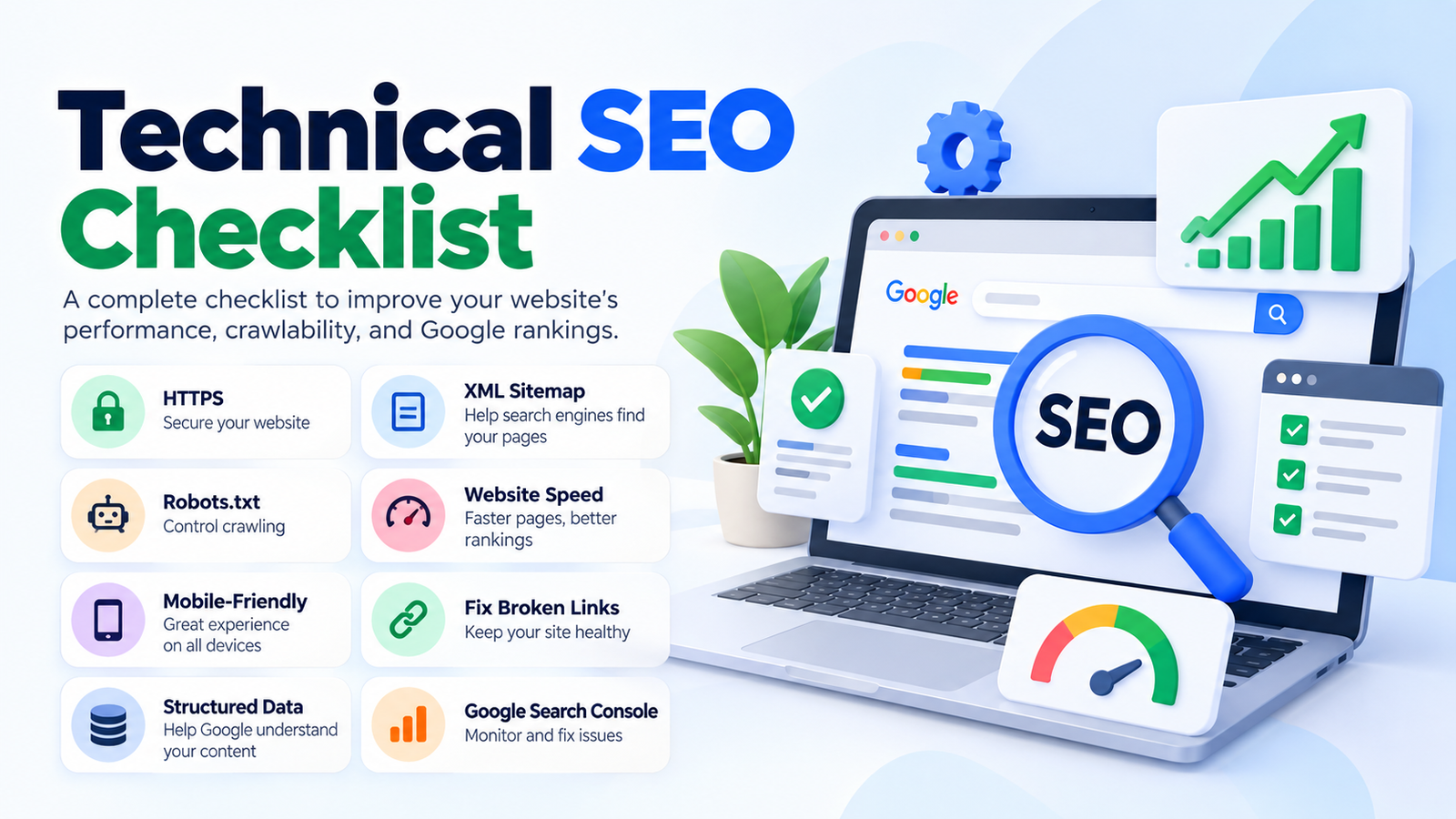
A Technical SEO Checklist will help enhance the speed, mobile-friendliness, crawlability, indexing, safety, and overall performance of your website.
What Is Technical SEO?
Technical SEO entails optimizing the technical aspects of a website. It generally involves crawling, indexing, and other technical processes that help the search engine robot to read and comprehend your website.
Technical SEO generally consists of the following:
• Website crawling
• Indexing
• HTTPS
• XML sitemap
• Robots.txt
• Canonical tags
• Website speed optimization
• Mobile-friendliness
• Broken links
• Redirects
• Structured data
• URL structure
• Core Web Vitals
1. Use HTTPS
You must enable Hypertext Transfer Protocol Secure (HTTPS) because it encrypts the data transmitted between the web browser and the website. You should also verify that all URLs on your site are HTTPS compliant. Moreover, you should ensure that the HTTP version of your website redirects to the HTTPS address seamlessly.
An example of a correct HTTPS URL is: https://www.example.com
While an incorrect HTTP URL appears as: http://www.example.com
2. Check Your Robots.txt
Robots.txt is a file that specifies the pages search engines can or cannot index. The file is generally found at yourwebsite.com/robots.txt
It is vital to ensure that the important pages are not blocked in the robots.txt file.
Some of the pages that should not be blocked are:
• Service pages
• Product pages
• Blog posts
• Category pages
• Important pages with website resources
A malfunctioning robots.txt can obstruct search engines from accessing the desired pages on your website.
3. Create an XML Sitemap
An XML sitemap is a file that lists the essential pages on a website. It generally consists of the following pages:
• Homepage
• Service pages
• Product pages
• Blog posts
• Category pages
The following should be avoided in an XML sitemap:
• 404 URLs
• Redirected URLs
• Duplicate pages
• Noindex pages
It is important to submit your sitemap to Google Search Console.
4. Ensure Pages Are Indexable
It is vital to ensure that the important pages on your website are indexable so that they can appear on the search engine results pages (SERPs). Some of the reasons why web pages become unindexable are:
• Noindex
• Canonical issues
• Malfunctioning robots.txt
• Duplicated content
• Server errors
• Poor internal linking
You should use Google Search Console to identify and fix indexing problems on your website.
5. Implement Canonical Tags
The canonical tag aids search engines in comprehending the relationship between different URLs on a website. Most developers use canonical tags to define the preferred web address when multiple Uniform Resource Locator (URLs) appear on a single page.
The following are some situations that necessitate the use of canonical tags:
• URLs with tracking parameters
• Product variations
• Duplicated pages
• HTTP and HTTPS variants
• WWW and non-WWW variants
Incorrectly implemented canonical tags can impede the indexing and ranking of your web pages.
6. Enhance Website Speed
Websites with slow loading speed can encounter traffic issues and poor search engine rankings. Some of the aspects that influence the speed of a website are:
• Image size
• Website hosting
• Plugins
• JavaScript
• Cascading Style Sheets (CSS)
• Third-party applications
The following are some recommendations for enhancing website speed:
• Compress images
• Use WebP
• Leverage browser caching
• Minify Cascading Style Sheets (CSS)
• Remove unnecessary scripts
• Fast hosting
• Content Delivery Network (CDN)
Faster websites offer a better experience to the end-users.
7. Monitor Core Web Vitals
Core Web Vitals are a set of factors that determine the real-world user experience of a webpage. They focus on speed and responsiveness, as well as the loading of visually stable content.
The following are some of the recommended Core Web Vitals:
• First input delay
• Cumulative layout shift
• First contentful paint
You should utilize Google Search Console or PageSpeed Insights to analyze the Core Web Vitals of a website.
8. Ensure Website’s Mobile-Friendliness
Most internet users explore websites using their smartphones; hence, developers should enhance the mobile-friendliness of a website.
Some of the elements that should be checked are:
• Text size
• Button spacing
• Website navigation
• Forms
• Images
• Tables
• Pop-ups
• Horizontal scrolling
Mobile-friendly websites tend to have a higher chance of ranking well on the SERPs.
9. Apply Clean URL Structure
Websites should have a clean URL structure to have a better chance of ranking well on the SERPs.
An example of a clean URL structure is: example.com/services/technical-seo
While a dirty URL structure is: example.com/page?id=85739&service=seo
10. Fix Broken Links
Websites are bound to develop broken links, especially if the web developer does not routinely maintain them. Some of the broken links that should be fixed are:
• Internal broken links
• External broken links
• Removed service pages
• Removed blog posts
• Removed products
Whenever a broken link is identified, the best practice is to either repair or delete the hyperlink. However, if there is a relevant web address that the deleted link pointed to, the web developer should consider implementing a 301 redirect.
11. Use 301 Redirects
A 301 redirect is a permanent redirect from one web url to another. The following are some examples of 301 redirects:
A web page should be redirected permanently if the following occurs:
• Change in domain name
• Relocation of web pages
• Alteration in Uniform Resource Locator (URL)
Avoid implementing too many 301 redirects because they can impede the redirect process. Always try to redirect web pages directly.
12. Design a Good 404 Page
Whenever a web user accesses a web address that does not exist, the 404 page should be the landing page. The 404 page should consist of the following:
• Website homepage
• Main navigation links
• Popular services
• Search box
• Contact button
Website developers should refrain from redirecting all 404 pages to the homepage.
13. Create a Good Internal Linking Structure
Internal links should be used to connect related topics or articles. For example, a website that offers digital marketing services should implement internal linking structure to connect to the following:
• SEO Services
• Website Designing
• Website Development
• Google Ads
• Lead Generation
• Blog Articles
14. Implement Structured Data
Structured data aids search engines in comprehending the contents on a web page. It is essential to apply the correct schema to your website. Some of the common schema are:
• Organization
• LocalBusiness
• Article
• Service
• Product
• Breadcrumb
15. Optimize Your Images
Images on a website should be optimized for faster loading. Some optimization techniques are:
• Image compression
• Perfect image size
• WebP
• Filename
• Alt text
• Lazy loading
A good example of an image filename is: technical-seo-checklist.webp
16. Check Your Website Architecture
A website should have a good web architecture so that it can load faster and rank better on the SERPs. Here is an example of a good website architecture:
Home > Services > SEO > Technical SEO
A good website architecture enhances crawlability, navigation, and internal linking.
17. Check www and Non-www Versions
Your website should either use the “www” or “non-www” version. The following are examples of non-www versions: https://example.com
Meanwhile, examples of non-www versions are: https://www.example.com
The preferred version should be the one used on the website. The other version (non-preferred) should be redirected to the preferred version.
18. Check Server Errors
It is vital to routinely check the server errors of a website because they provide insight into what is happening on a website. The following are some of the common server errors:
• 200: The web page is performing well.
• 301: A permanent redirect.
• 302: A temporary redirect.
• 404: The web page was not found.
• 500: An error occurred on the server.
19. Monitor Google Search Console
Google Search Console is the most powerful technical SEO tool, as it monitors the indexing, sitemaps, core web vitals, and other important aspects of a website. You should routinely check Google Search Console to ensure that your sitemap is working correctly, the website is indexed, and there are no page errors.
20. Maintain Website Security
Website security should be prioritized to increase your chances of attaining a good search engine ranking position (SERP). Some ways of enhancing website security are:
• Updating a Content Management System (CMS)
• Updating plugins
• Strong passwords
• Website backups
• Malware scanning
• Removing unnecessary plugins
• Securing website dashboard
A hacked or insecure website can be removed from the search engine indices.
Quick Technical SEO Checklist
Before considering a website technically optimized, the following should be checked:
• HTTPS
• Sitemap
• Robots.txt
• Indexed pages
• Canonical tags
• Website speed
• Mobile-friendliness
• Broken links
• Redirects
• Clean URLs
• Image optimization
• Structured data
• Internal linking
• Google Search Console
• Website security
Common Technical SEO Mistakes
The following technical SEO mistakes should be avoided at all costs:
• Blocking important pages in robots.txt
• Unintended use of noindex
• Malfunctioning canonical tags
• Creating duplicate URLs
• Not optimizing a website for mobile users
• Leaving broken links un-detected
• Uploading large image files
• Chain redirects
• Server errors
• Not submitting a sitemap to Google
Technical SEO is crucial because technical errors can occur on hundreds of web pages. A Technical SEO Checklist will help solve the issues hindering a website from reaching its full potential. At a glance, Technical SEO consists of crawlability, indexing, website speed, mobile-friendliness, HTTPS, canonical tags, sitemaps, redirects, and structured data. However, technical SEO should not be considered as the sole SEO strategy. Instead, it should be combined with On Page SEO, content creation, website development, internal linking, and digital marketing to propel a business’s growth.
GrowthWeb Digital understands the importance of technical SEO. We provide professional SEO services, website development, digital marketing, and website designing to help businesses improve their online presence. If you desire to scale your business through affordable and effective SEO strategies, we are here to assist you. We provide professional website development services that ensure your website has a clean design, is mobile friendly, safe, optimized, fast, and can withstand the test of time.
Conclusion
A complete Technical SEO Checklist helps create a strong foundation for better Google visibility.
The most important areas are:
Crawlability + Indexing + Website Speed + Mobile Usability + HTTPS + Canonical Tags + Sitemaps + Redirects + Structured Data
Technical SEO alone cannot guarantee top rankings, but it helps ensure that your website is technically ready to compete.
Regularly audit your website, fix errors, improve speed, and keep your website structure clean.
For professional SEO, website development, website designing, Google Ads, and digital marketing services, GrowthWeb Digital can help businesses strengthen their online presence.